
Only logged in customers who have purchased this product may leave a review.
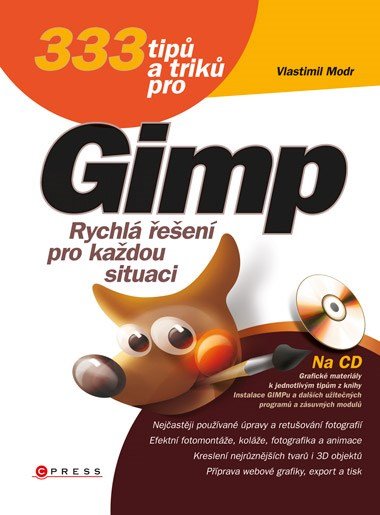
Preview
Availability: Available immediately
333 tipů a triků pro GIMP
Author: Vlastimil Modr
9,96 €
333 tipů a triků pro GIMP by Vlastimil Modr is a practical collection of tutorials for photo editing and graphic creation in the free editor GIMP. Procedures cover selections, layers, color channels, blending modes, retouching, perspective, filters, montages, collages, web graphics, and simple animations. The book is organized as a collection of specific solutions to revisit for the task at hand. Since it describes older program versions and workflows of its time, feature names, the interface, and some steps may differ in today’s GIMP.
333 tipů a triků pro GIMP by Vlastimil Modr is a collection of practical tutorials for users of the free graphics editor GIMP. It offers specific solutions organized by topic and difficulty, rather than a conventional course from basics to advanced features. Readers learn to use selections, layers, color channels, and blending modes, retouch photographs, apply filters, correct perspective and image flaws, and create montages, collages, web graphics, and simple animations.
Book information
- Author
- Vlastimil Modr
- Publisher
- Albatros Media a.s.
- Imprint
- Computer Press
- Formát
- E-book
- Language
- Czech
- Genre
- GIMP, Úprava fotografií, Počítačová grafika
- ISBN
- 978-80-251-3032-2
- Publication date
- 1. January 2013
- Pages
- 272
- E-book formats
- EPUB (ISBN 978-80-251-3974-5) · PDF (ISBN 978-80-251-3973-8) · MOBI (ISBN 978-80-251-3975-2)
What is 333 tipů a triků pro GIMP about?
The book is structured as step-by-step procedures for common and more advanced tasks in GIMP. It covers selections and layers, color channels, palettes, and blending modes. Photography topics include adjusting levels, perspective, and horizons, balancing color, reducing noise, and correcting reflections, skin blemishes, and lens distortion. Further tips demonstrate colorization and color transformations, posters, collages, puzzles, covers, and adding graphic elements to photographs. The author also covers drawing, web graphics, effects, simulations, color management, and printing. Source materials allow readers to practice the procedures.
Themes and motifs
Photo editing
Retouching images and adjusting levels, perspective, horizons, colors, and noise.
Layers and selections
Simple and advanced selections, layers, and blending modes.
Retouching
Correcting reflections, skin blemishes, lens distortion, and other photographic issues.
Graphic projects
Creating montages, collages, posters, covers, and other graphics.
Web graphics
Preparing and optimizing graphic elements for the web.
Color and printing
Color transformations, color management, effects, and preparing graphics for print.
Who is this book for?
For GIMP users seeking specific practical tutorials for photo editing, graphic creation, and more efficient use of the program.
Book context
The print edition of 333 tipů a triků pro GIMP by Vlastimil Modr was published by Computer Press. Albatros Media’s official record lists 272 pages, ISBN 978-80-251-3032-2, and April 16, 2012, while the GIMP project records a Computer Press edition as early as November 2010.
Otázky o knihe
What is 333 tipů a triků pro GIMP about?
It is a collection of practical step-by-step tutorials for photo editing, graphics, effects, web graphics, and other GIMP tasks.
Who wrote the book?
The author is Vlastimil Modr.
Does the book cover photo retouching?
Yes. It includes adjustments to color, noise, perspective, and horizons, as well as corrections to reflections, skin blemishes, and lens distortion.
Does it cover layers?
Yes. Layers, selections, color channels, and blending modes are major topics.
Can readers use the book to create web graphics?
Yes. Creating and optimizing graphics for the web is one of its subjects.
How many pages does this edition have?
Supplier data and the official publisher record list 272 pages.
Which e-book formats are available?
The supplier lists EPUB, PDF, and MOBI.



Reviews
There are no reviews yet.