
Only logged in customers who have purchased this product may leave a review.

Preview
Availability: Available immediately
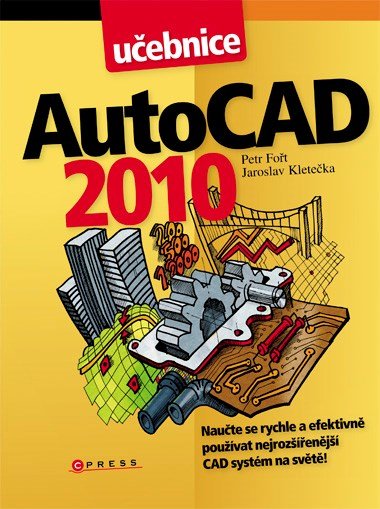
AutoCAD 2014: Učebnice
Author: Jaroslav Kletečka, Petr Fořt
8,36 €
AutoCAD 2014: Učebnice by Petr Fořt and Jaroslav Kletečka leads readers from basic software operation to technical drawings, three-dimensional models, and print-ready documentation. Twelve chapters connect tool explanations with illustrations, individual exercises, and team projects.
Topics include accurate 2D drawing and object editing, text, hatching, blocks, and external references. These lead into creating 3D objects and visualizations, preparing drawings for standard or large-format printers, and placing CAD within the context of PLM systems. The book expects readers to actively try the procedures.
The publication suits technical students and readers interested in computer-aided design who specifically work with version 2014. This Czech-language e-book has 400 pages and is available in PDF. Interfaces and features may differ in newer AutoCAD releases, making it important to choose a textbook that matches the software in use.
AutoCAD 2014: Učebnice by Petr Fořt and Jaroslav Kletečka is a computer-aided design guide focused on AutoCAD 2014. It connects operating the software with creating and editing drawings, 3D modeling, and preparing documentation for printing. Twelve chapters are supported by illustrations, individual exercises, and team projects. The book is intended for students and other readers who want to learn through specific tasks. This Czech-language e-book has 400 pages and is available in PDF. Users of newer versions should expect differences from the environment described.
Book information
- Author
- Ing. Petr Fořt, Petr Fořt, Jaroslav Kletečka
- Publisher
- Albatros Media a.s.
- Imprint
- Computer Press
- Formát
- E-book
- Language
- Czech
- Genre
- CAD, Technické učebnice
- ISBN
- 978-80-251-4154-0
- Publication date
- 1. January 2014
- Pages
- 400
- E-book formats
- PDF (ISBN 978-80-251-4188-5)
What is AutoCAD 2014: Učebnice about?
The textbook follows a path from basic AutoCAD operation to working with technical documentation. Rather than simply listing features, it connects explanations of tools with individual exercises and team projects. Its twelve-chapter structure supports gradual learning in the version 2014 environment.
Part of the discussion addresses accurate drawing and editing of two-dimensional objects. Text, hatching, blocks, and external references build on these activities. Further topics include creating three-dimensional objects and visualizations. Preparing drawings for standard or large-format printers is also covered.
The authors place CAD use within the wider setting of PLM systems, or product lifecycle management. Individual tools are therefore introduced in relation to creating and processing technical documentation. Illustrations complement explanations designed for active practice.
The title may be useful to high school and university students working with AutoCAD 2014, as well as users moving to this version from an older environment. Its technical focus is tied to a specific software version. When working in newer releases, the interface and availability of features need to be checked; readers should therefore choose the textbook with their software in mind.
Themes and motifs
2D drawing
The explanations cover precise creation and editing of two-dimensional objects.
Drawing documentation elements
Text, hatching, blocks, and external references expand work with drawings.
3D modeling
Three-dimensional objects and visualizations form another area of the textbook.
Preparing for printing
The book covers preparing drawings for standard and large-format printers.
Learning through practice
Individual exercises and team projects connect explanations with practical tasks.
Who is this book for?
For technical students and readers interested in drawing creation who use AutoCAD 2014 or need a guide to that version.
Book context
A technical textbook for AutoCAD 2014 emphasizing exercises, projects, and documentation.
Otázky o knihe
Who wrote AutoCAD 2014: Učebnice?
The authors are Petr Fořt and Jaroslav Kletečka.
Which AutoCAD version does the textbook describe?
It focuses on AutoCAD 2014.
What does it cover?
Software operation, 2D drawing, drawing elements, 3D modeling, visualizations, and preparing drawings for printing.
Does the textbook include exercises?
Yes. Individual exercises and team projects complement the explanations.
Is this a guide to the current version of AutoCAD?
The book describes version 2014. Differences in the interface and features need to be checked for newer releases.
What are the e-book’s language, length, and format?
It is in Czech, has 400 pages, and is available in PDF.



Reviews
There are no reviews yet.